


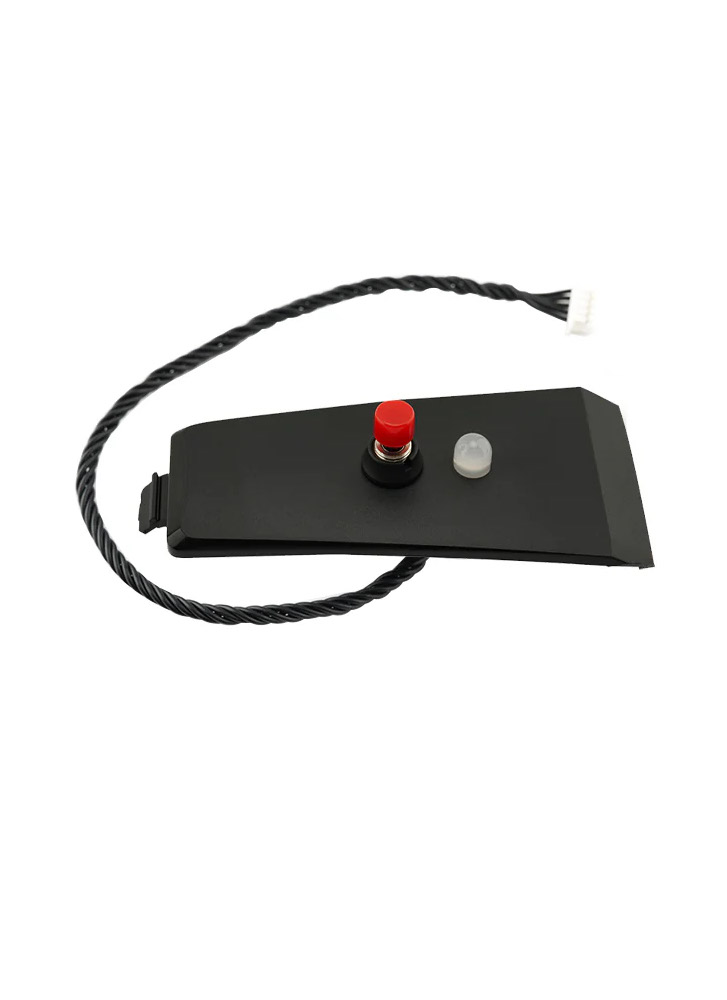
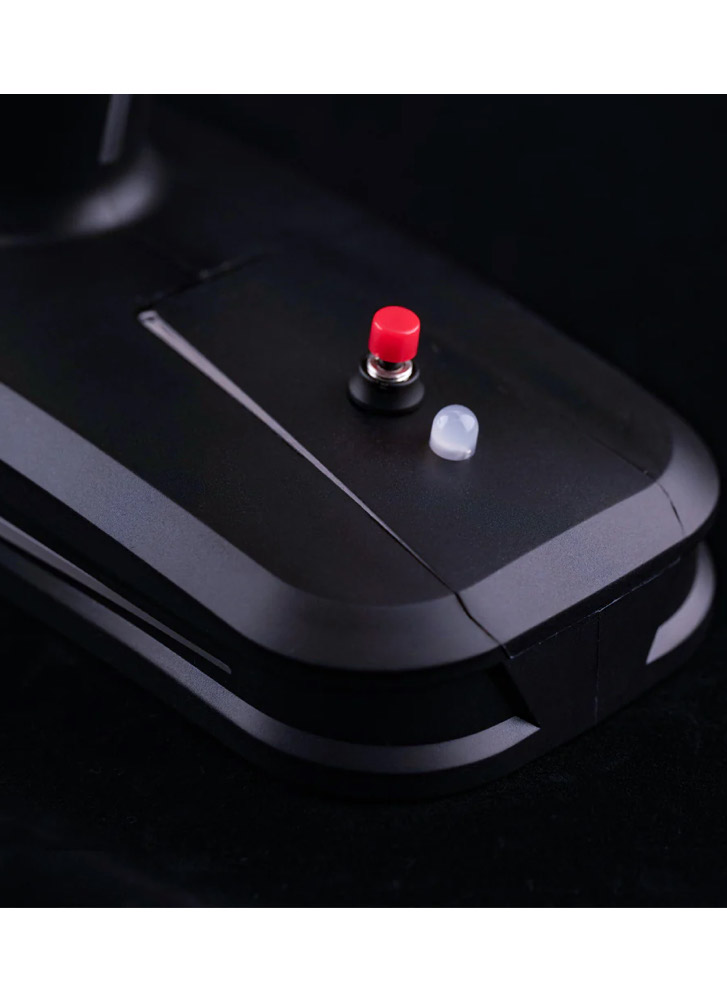


RadioMaster MT12 Gyro Control Module
£11.75 Inc. VAT
Genuine RadioMaster upgrade part for your MT12 radio.
Only 4 left in stock|Next shipping: 16/03/2026
The MT12 gyro enables control of two channels using hand gestures, allowing you to operate devices such as a pan/tilt gimbal, RC tank turret, rear wheel steering, and more. When installed in the MT12 expansion slot, this two-axis gyro integrates your hand movements into the control stream through the advanced mixing and programmability of EdgeTX. The only limit is your imagination!
Upgrade Part for RadioMaster MT12 radio.
Click here to see the Switch Expansion Modules for MT12 Surface Radio
Installation
- Remove the battery from the bottom of the MT12
- Remove the top cover from the MT12 by pushing away from the grip
- Install the Gyro module at the top of the radio base
- Plug the cable into the 5pin connector in the battery compartment
How to use
Settings related to MT12 Radio
1. Press the “SYS” button and use the “PAGE” button to navigate to the “HARDWARE” menu. Set “S3” and “S4” under “Pots” to “Axis X” and “Axis Y”, respectively, as shown in the diagram below:
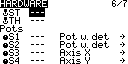
*Arrows behind Axis X and Axis Y represent the direction settings. After selecting with the scroll wheel, you can press the scroll wheel to modify the direction.
2. Calibration in MT12.
Press the “SYS” button and use the “PAGE” button to navigate to the “HARDWARE” menu. Enter the “[Calibration]” menu to calibrate. The calibration method is the same as the process for calibrating other inputs on MT12. At the “SET AXIS MIDPOINT” step, place the MT12 on a table and keep it level, then press the scroll wheel to calibrate the neutral point. At the “MOVE AXIS/POTS” step, in addition to calibrating the maximum values of the existing directions and throttle, you also need to pick up the MT12 and move it back and forth and side to side, with angles greater than 45 degrees.
3. Input menu settings.
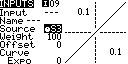
Press the “MDL” button, then use the “PAGE” button to navigate to the “INPUT” menu. You must bind the gyro output to two input channels in this menu. For example, bind Axis X (S3) to “I09” and Axis Y (S4) to “I10”. For “I09” as an example, enter the “Edit” menu of input channel 09. Select “Source” and press the scroll wheel, which will cause it to blink. At this point, tilt MT12 left and right, and the system will automatically switch the input source to “Source S3”, as shown in the diagram below:
4. Mixer menu settings.
Press the “MDL” button, then use the “PAGE” button to navigate to the “MIXER” menu. In this menu, you need to bind the gyro inputs to the actual receiver output channels. For example, use left-right tilting (Axis X) to control channel 3, and use forward-backward tilting (Axis Y) to control channel 4. For channel 3 as an example, enter the “Edit” menu for channel 3. Select “Source” and press the scroll wheel, which will cause it to blink. At this point, tilt MT12 left and right, and the system will automatically switch the input source to “I09”, as shown in the diagram below:
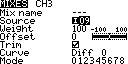
Gyro Sensor Calibration
To accommodate different users’ holding gestures, you can calibrate the sensor’s neutral point by pressing and holding the red button for 2 seconds. During calibration, the red light will flash. A steady green light indicates normal operation.
- Power Supply: DC 3.3V
- Weight: 8.3g
- Dimensions: 65.0*33.0 mm
- X-axis Angle Range: 90° [-45° to 45°]
- Y-axis Angle Range: 90° [-45° to 45°]
Included:
- 1x RadioMaster MT12 Gyro Control Module
- 1x 5pin JST cable (installed on Module)
Questions and answers of the customers
There are no questions yet. Be the first to ask a question about this product.
SHIPPING & DELIVERY
We are based in the UK and ship to most destinations worldwide.
We dispatch orders during the times shown on our Dispatch Schedule. Orders placed before the daily dispatch cutoff will ship the same day (subject to stock availability). Orders placed after the cutoff will ship on the next scheduled dispatch day.
A confirmation email is sent once your order has been packed. If you need to amend your order, please contact us as soon as possible — once shipped, we’re unable to make changes.
We work with trusted delivery partners including Royal Mail, DHL, UPS, Fedex and Parcelforce. If you have a delivery requirement or would like to arrange collection, please get in touch.


Next Dispatch: Mon 16 Mar
Please fill in the fields below with the shipping destination details in order to calculate the shipping cost.
Shipping to the UK
- Order before the daily dispatch cutoff for same day dispatch.
- FREE delivery available on qualifying orders over £99 (under 1kg).
For small, low-value orders, Royal Mail First Class is our most economical option. Royal Mail Tracked 24 is the most popular choice, offering full tracking and flexible delivery options. For guaranteed next working day delivery, we recommend Royal Mail Special Delivery.
Royal Mail delivers to residential addresses Monday to Saturday, while courier services (including DHL) typically deliver Monday to Friday.
International Postage
- USA orders: Import duties and taxes are prepaid by us — no additional customs charges on delivery.
- Other destinations: Customs duties or import taxes may apply and are the responsibility of the recipient.
Smaller, lower-value orders may be sent via Airmail or tracked postal services. Economy road and express air courier options are available depending on destination. For faster delivery, we recommend express air courier services such as DHL Express, which typically deliver within 1–2 working days across Europe and a few working days for most other destinations.
Related products


Reviews
Clear filtersThere are no reviews yet.